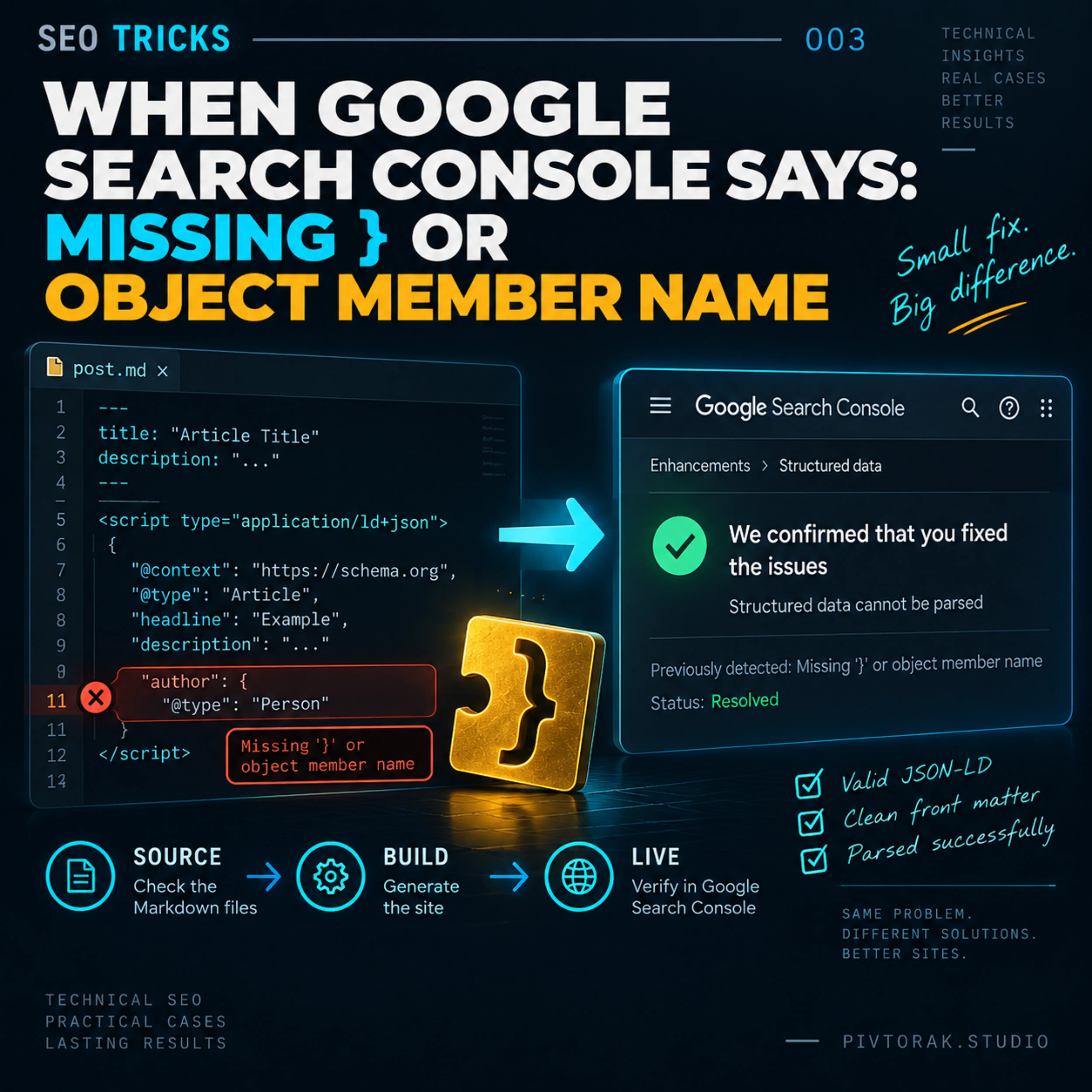
When Google Search Console Says: Missing } or Object Member Name | SEO Tricks#
One missing character can make perfectly valid-looking structured data invisible to the parser.
Quick Summary Box#
Google Search Console reported:
Issue: Structured data cannot be parsed
Specific error: Missing}or object member name
The problem was caused by the way JSON-LD was placed immediately after the YAML front matter in Markdown files. A missing blank line caused the generated content to be parsed incorrectly.
We checked the affected source files, corrected the formatting, verified that the accidental encoding damage introduced during the repair was fully restored, rebuilt the site successfully, and deployed the fix. Google Search Console later confirmed that the issue had been resolved.
The Question#
What caused Google Search Console to report that the structured data on the site could not be parsed?
The specific error was:
Missing
}or object member name
We needed to determine whether the problem was in the JSON-LD itself, in the Hugo templates generating it, or in the way the JSON-LD was placed in the Markdown source files.
Why It Matters#
Structured data helps search engines understand the meaning and structure of a page. If the JSON-LD cannot be parsed, that structured data cannot be reliably processed.
This does not automatically mean that the page cannot be crawled or indexed, or that its ranking will be affected. The important issue here is more specific: the structured data itself may not be available to search engines in the form in which it was intended.
That makes a parsing error worth fixing, especially when the same source pattern affects many pages across a site.
The Check#
We started by checking the actual source files rather than assuming that the JSON-LD itself was malformed.
The investigation covered four levels:
- The Google Search Console report — to identify the exact problem and error message.
- Hugo templates — to see where structured data was generated and whether the JSON-LD syntax was being altered during page generation.
- Markdown source files — to check how the JSON-LD
<script>blocks were placed relative to the YAML front matter. - Generated HTML — to compare the source structure with what Hugo actually produced.
A search through the site content revealed 565 Markdown files in which the closing YAML front matter delimiter was immediately followed by the JSON-LD <script> block, without a blank line:
---
<script type="application/ld+json">
We then tested the same structure after inserting a blank line:
---

<script type="application/ld+json">
The generated HTML was checked for the structured-data script and for the presence of escaped JSON characters such as ".
The check showed that the formatting change was sufficient to produce correctly separated front matter and JSON-LD in the generated output.
What We Found#
The investigation revealed that the JSON-LD itself was not the problem.
What we expected#
Each Markdown file had a normal YAML front matter block followed by a JSON-LD <script> block. Once Hugo processed the Markdown, the structured data should appear as a separate script in the generated HTML.
What we observed#
In 565 Markdown files, the closing YAML front matter delimiter was immediately followed by the JSON-LD block:
---
<script type="application/ld+json">
{
  "@context": "https://schema.org",
  ...
}
</script>
There was no blank line between the end of the front matter and the HTML <script> element.
This pattern was repeated across the affected files, so the issue was not an isolated malformed JSON object.
What the evidence showed#
We tested the same content after adding a single blank line:
---

<script type="application/ld+json">
{
  "@context": "https://schema.org",
  ...
}
</script>
After rebuilding the site with Hugo, the generated HTML contained the JSON-LD as a separate application/ld+json script.
For the test page, the structured-data check returned:
application/ld+json: 1 of 1
": No results
This was significant because it showed that the JSON-LD was reaching the generated HTML in the expected form rather than being incorrectly combined with the preceding front matter.
What caused the problem#
The cause was therefore not a missing } inside the JSON-LD object.
The underlying problem was the lack of separation between the YAML front matter and the following JSON-LD <script> block in the Markdown source.
Because the same source pattern occurred in 565 files, the problem had the potential to affect structured data across a large part of the site.
The investigation also revealed an important practical lesson: when a search engine reports a JSON parsing error, the visible error message does not necessarily identify the actual source of the problem. In this case, the reported missing } pointed toward the JSON object, but the evidence showed that the problem was in the boundary between the Markdown front matter and the JSON-LD block.
The Fix#
The fix was deliberately small: add one blank line between the closing YAML front matter delimiter and the JSON-LD <script> block in every affected Markdown file.
Before#
---
<script type="application/ld+json">
{
  "@context": "https://schema.org",
  ...
}
</script>After#
---

<script type="application/ld+json">
{
  "@context": "https://schema.org",
  ...
}
</script>
The affected files were located across the site’s content directories. A total of 565 Markdown files contained this exact source pattern.
Rather than editing the files individually, we performed the correction systematically across the affected files.
An important complication#
During the first mass-edit operation, the Windows PowerShell encoding handling introduced UTF-8 mojibake into the affected files. Characters such as:
—
’
©
ðŸ...
appeared in place of the original Unicode characters.
We stopped the process, identified the encoding problem, and restored the affected files using the reverse CP1252/UTF-8 transformation. A subsequent verification found:
Залишилося файлів із mojibake: 0We then checked the Git diff to make sure that the intended content had not been altered. The final diff showed that the substantive change was the addition of one blank line per affected file.
Final result#
The correction produced:
565 files changed, 565 insertions(+)Hugo then built the site successfully.
After the source files were verified, the change was committed and pushed to GitHub:
915f05fa Add spacing between front matter and JSON-LDThe important part of the fix was therefore not changing the JSON-LD objects themselves, but separating the YAML front matter from the following JSON-LD block in the Markdown source.
Verification#
The verification followed the full sequence:
Source → Build → Live
Source#
After the correction, we checked the affected Markdown files and the Git diff.
The final diff confirmed that the intended source change was limited to the addition of one blank line between the YAML front matter and the JSON-LD block in each affected file.
The 565 affected files were committed as:
915f05fa Add spacing between front matter and JSON-LDBuild#
The site was rebuilt with Hugo after the correction.
The build completed successfully. The existing Hugo deprecation warnings remained, but they were unrelated to the structured-data problem and did not prevent the build.
We also verified that no mojibake remained after the encoding restoration:
Files with remaining mojibake: 0The corrected content was then pushed to GitHub:
bde59e67..915f05fa main -> mainLive#
The final and most important verification came from Google Search Console itself.
Google subsequently sent a confirmation stating that the problem had been resolved:
We confirmed that you fixed the issues: Structured data cannot be parsed.
The specific error Google had previously reported was:
Missing
}or object member name
Google confirmed the fix for the page it had rechecked.
This is the highest level of verification available in this case: the source was corrected, the site built successfully, the corrected version was deployed, and Google Search Console independently confirmed that the reported structured-data parsing problem had been resolved.
Result#
Source → corrected
Build → successful
Live → verified by Google Search Console ✅
The important distinction is that the first two checks established that our correction worked technically; the final Google confirmation established that the search engine accepted the corrected structured data on the live site.
Final Takeaway#
The key lesson is simple: when Google reports a structured-data parsing error, do not assume that the JSON-LD object itself is malformed. Check the entire path from source Markdown to generated HTML.
In this case, one missing blank line between YAML front matter and a JSON-LD <script> block was enough to trigger a parsing problem across 565 files. The fix was small, but finding the real cause required checking the source, the Hugo build, the generated HTML, and finally the live site through Google Search Console.
Sometimes the error points to the JSON. The real problem may be just before it.
Google Search Console · structured data · JSON-LD · Hugo · SEO debugging
Alt-text:
Google Search Console confirming that the structured-data parsing issue has been resolved on the live site.
SEO Tricks. When Google Search Console Says: Missing } or Object Member Name. AP | Pivtorak.Studio. 22.09.2026
© Anna Pivtorak (Kostyuk)